
How to Maintain Marine Navigation Equipment in Saltwater Environments
Saltwater maintenance is less about making marine navigation equipment look clean and more about preventing small failures from becoming navigation failures. A white deposit on a connector, moisture behind a display bezel, a cracked antenna cable gland, or a loose radar mount can gradually affect GPS reception, AIS data, radar performance, depth readings, and onboard communications.
How should marine navigation equipment be maintained in saltwater environments? Use a routine that removes salt residue, keeps water out of electrical paths, checks mechanical mounts before they loosen, and verifies system performance after cleaning or rough-weather exposure. The priority is not simply protecting individual devices; it is preserving reliable situational awareness when the vessel needs it most.
Saltwater causes problems even when equipment is rated for marine use
Marine-rated navigation equipment is designed to tolerate spray, humidity, vibration, and temperature changes. It is not immune to neglected salt deposits or damaged seals. Saltwater becomes especially destructive after it dries. It leaves conductive residue that attracts moisture from the air, allowing corrosion and electrical leakage to continue between trips.
The most vulnerable areas are usually not the front of a chartplotter or the painted radar dome. They are the places where water can enter or remain unnoticed: cable glands, plug pins, antenna bases, fuse holders, terminal blocks, mounting screws, display edges, and the back of equipment mounted inside a damp console.
Different failures can look unrelated at first. A GPS position may wander because an antenna connection has deteriorated. An AIS unit may appear intermittent because its power terminals have oxidized. A radar may start normally but produce unreliable returns if its scanner connection, power supply, or mounting arrangement is compromised. Treat these systems as a connected navigation network rather than isolated boxes.
Build maintenance around exposure, not just a calendar
A vessel used occasionally in sheltered water does not need the same inspection rhythm as one operating offshore, traveling through surf zones, or remaining on a saltwater berth. Maintenance should increase after exposure events that force salt deeper into seams and electrical areas.
A useful approach is to separate tasks into three levels: a quick rinse and visual check after use, a more deliberate inspection after severe exposure, and a scheduled functional review of the full navigation suite. This avoids the common mistake of waiting for an annual service while salt contamination develops quietly between outings.
Freshwater rinsing is useful, but technique matters
Rinsing removes salt crystals before they accumulate around controls, vents, housings, and mounts. Use low-pressure freshwater on external equipment such as radar scanners, GPS antennas, transducers where accessible, display housings, brackets, and cable runs. High-pressure washing can force water past seals, especially where gaskets have aged or installation hardware is not perfectly tight.
Do not direct water into vents, connectors, keypads, seams, speaker openings, or the underside of exposed units. A rinse should be followed by gentle drying with a clean soft cloth. Avoid abrasive pads, aggressive solvents, and household cleaners that can damage anti-glare coatings, plastic windows, labels, or rubber seals.
For chartplotters, multifunction displays, and handheld devices, use a manufacturer-approved screen-cleaning method when possible. Salt spots should be softened with clean water and wiped carefully rather than rubbed dry. Rubbing dry salt across a display can create fine scratches that reduce visibility in strong daylight.
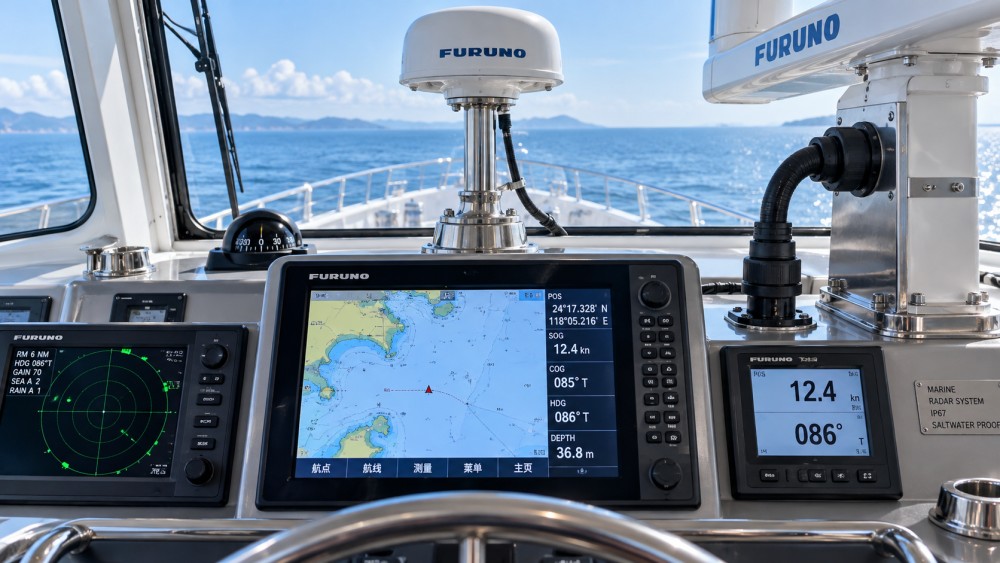
Inspect connectors before corrosion reaches the conductor
Electrical connectors deserve more attention than any other single area. Saltwater corrosion often begins inside a plug or behind a cable boot, where it is difficult to see. By the time a connector shows heavy green, white, or black corrosion externally, contact resistance may already be affecting system reliability.
During inspection, disconnect only when the equipment is powered down and the connection can be reassembled correctly. Look for discoloration, moisture, stiff locking rings, cracked boots, bent pins, loose strain relief, and damaged sealing rings. Examine both sides of the connection. Cleaning one visible plug does little if the mating socket holds moisture or corrosion.
After cleaning and drying, use a corrosion-protection product that is suitable for marine electrical connections and compatible with the connector materials. The purpose is to exclude moisture, not to fill a dirty connector with compound. Apply it lightly and only after the contacts and seals are in good condition. A damaged connector, frayed cable, or cracked gland should be repaired or replaced rather than repeatedly treated.
Pay particular attention to NMEA network connections, power feeds, antenna coaxial connectors, transducer leads, radar cables, and junction boxes. These points often combine low-voltage signals with a damp environment, making intermittent faults difficult to diagnose once corrosion begins.
Keep water outside the enclosure
Waterproofing depends on the complete installation, not only the device rating. A well-sealed chartplotter can still fail if its rear cable entry opens into a wet console. A radar antenna can work poorly if the cable route allows water to travel along the cable and collect at a connector. A GPS antenna may be technically sound but unreliable because its mounting base flexes and breaks the seal beneath it.
Check cable glands for cracks, gaps, and movement. A cable should be supported so its weight and vibration do not pull continuously on the equipment connector. External cable runs benefit from drip loops where appropriate, allowing water to fall away rather than travel directly into an enclosure. Inside consoles, keep wiring organized and raised away from low points where condensation or leaks collect.
Sealants are useful when they match the installation surface and are applied correctly, but sealant is not a substitute for sound mounting hardware or intact gaskets. Excess sealant can also conceal a leak path and make later inspection harder. When a seal has failed, remove the old material, dry the area thoroughly, identify why it failed, and rebuild the joint properly.
Antennas, radar units, and transducers need mechanical checks too
Navigation accuracy depends on stable sensor placement. An antenna that has loosened slightly may remain powered while producing inconsistent results. A radar scanner mounted on a vibrating or corroded bracket can develop alignment and cable problems. A transducer installation can be affected by marine growth, impact damage, or compromised cable routing.
GPS, GNSS, VHF, and AIS antennas
Inspect the antenna base, mount, coaxial cable, and weatherproof connection. Look for loosened hardware, corrosion around fasteners, splitting insulation, and signs that water has entered the cable. Do not overtighten antenna fittings; excessive force can damage threads, seals, or internal conductors. If reception degrades, inspect the whole signal path before assuming the antenna itself has failed.
Radar scanners and domes
Clean the exterior gently and inspect the mounting platform, bolts, cable entry, and housing for cracks. Confirm that the scanner rotates or operates normally during a functional test, while following appropriate safety procedures. Radar faults are sometimes blamed on software or settings when the original problem is moisture in a connection, a degraded power supply connection, or mechanical strain on the cable.
Sonar and depth sensors
Keep the transducer face clean using methods appropriate to its material and installation. Avoid scraping aggressively or using coatings that interfere with the sensor's operation. Check cable condition from the transducer to the instrument, especially at areas exposed to movement, bilge moisture, or sharp edges.
Do not ignore the power system behind the electronics
Many apparent navigation-equipment failures originate in power distribution. Salt air and moisture can corrode battery terminals, breakers, fuse holders, ground points, and crimp connections. Voltage drops may cause screens to restart, radar systems to behave unpredictably, or networked equipment to disappear from the display.
Inspect power connections for heat discoloration, looseness, corrosion, and damaged insulation. Ensure terminals are mechanically secure and protected from water intrusion. Keep electrical compartments dry and ventilated where the vessel design allows. If an instrument works at the dock but becomes unreliable while the engine is starting or other equipment is operating, the power supply and grounding path should be investigated alongside the device itself.
It is also wise to record recurring faults: which device was affected, weather conditions, whether the engine was running, and what other electronics were active. Intermittent marine faults are easier to resolve when patterns are documented rather than reconstructed from memory.
Test the navigation chain, not only the screen
A clean display is not proof that the navigation system is dependable. After maintenance, confirm that the system is receiving the inputs it needs. Check position updates, chart data availability, heading information where fitted, depth readings, AIS targets where applicable, radar response, alarms, and communication links. Compare electronic information with independent references rather than relying on one display alone.
Software and chart updates should be handled as part of planned maintenance, not in the final moments before departure. Update procedures can require stable power, compatible files, and a way to recover settings if something goes wrong. Back up configuration data where the equipment supports it, particularly for networked systems with custom pages, alarm settings, routes, or sensor assignments.
GNCS tracks marine navigation systems as part of its broader focus on precision spatial perception. For operators managing complex electronics, the useful maintenance mindset is the same: protect the physical signal path, protect the electrical path, and verify the information reaching the bridge or helm before depending on it offshore.
Common maintenance mistakes that create avoidable faults
- Cleaning only what is visible: Salt residue behind a panel or inside a cable gland can be more serious than deposits on a screen.
- Using a pressure washer on electronics: Forceful water can defeat seals that would otherwise handle ordinary spray.
- Spraying protectant onto wet or corroded contacts: Protection works after cleaning and drying; it does not restore damaged conductive surfaces.
- Assuming “waterproof” means maintenance-free: Ratings depend on intact seals, correct installation, and undamaged cable entries.
- Replacing a device before checking power and connections: Corroded terminals or a failing cable can mimic equipment failure.
- Delaying inspection after a wet passage: Early attention is simpler than tracing an intermittent fault weeks later.
Questions that help decide what to inspect first
When a navigation device behaves abnormally, begin with the conditions around the fault. Did the problem appear after heavy spray, washdown, rain, or long storage? Is one device affected, or have several networked instruments become unreliable? Does the issue occur only under engine load or when another electrical system is active? Has a cable, antenna, bracket, or console been disturbed recently?
These questions narrow the search quickly. A single intermittent sensor often points to its connector, cable, or local power feed. Several devices failing together more often points to shared power, network wiring, moisture in a distribution area, or a common antenna path. When equipment is safety-critical or the source of a fault is unclear, professional marine-electrical diagnosis is preferable to repeated trial-and-error repairs.
FAQ
How often should marine navigation equipment be rinsed with freshwater?
Rinse exposed external equipment after saltwater use when practical, especially after heavy spray. The goal is to remove salt before it dries around seals, brackets, and cable entries. Interior electronics should be cleaned more selectively and kept dry.
Can I use WD-40 or a general lubricant on navigation connectors?
Use a product intended for marine electrical contacts and connector protection. General lubricants may leave residues, affect plastics or seals, and do not address corrosion already present inside a connection.
Why does my chartplotter work at the dock but fail underway?
Vibration, moisture movement, engine-related voltage changes, and cable strain may expose a weak connection that is not obvious while stationary. Inspect power terminals, network connectors, cable support, and grounding before assuming the display has failed.
Should radar and GPS equipment be covered when the vessel is not in use?
A suitable cover can reduce sun exposure and deposited salt on compatible equipment, but it must not trap moisture or block needed ventilation. Covers should be clean, dry, and designed for the equipment or installation.
Reliable navigation electronics are maintained through consistent, small interventions: remove salt, keep electrical interfaces dry, inspect seals and mounts, and verify the information chain before departure. That routine preserves far more than the appearance of onboard equipment; it helps keep position, detection, and communication systems dependable in the conditions where they matter.
Related News

How to Evaluate Supplier Solution References Before Signing a Contract
Evaluate supplier solution references with confidence. Learn how to verify technical evidence, identify delivery risks, and close gaps before signing a contract.

How Capacitive Seat Occupancy Sensing Works in Automotive Airbag Systems
Discover how capacitive seat occupancy sensing supports automotive airbag systems, and explore the design, calibration, and validation challenges behind reliable performance.

Industrial Product References: How to Verify Specs Before Ordering
Use an industrial product reference for procurement to verify specs, compatibility, and certifications before ordering—and reduce costly purchasing risks.

Choosing a Private Label Partner in Europe: Key Supplier Criteria
Private label cooperation Europe buyers can trust starts with the right supplier. Explore key criteria for compliance, quality, traceability and supply resilience.

Integrated Cabin Comfort Systems: How Seat and Cabin Climate Controls Work Together
Discover how integrated cabin comfort systems coordinate seat and climate controls to balance occupant comfort, energy use, safety, and performance.

Automotive Ergonomics Pricing: What Drives Seat System Costs?
Discover what drives automotive ergonomics pricing, from seat mechanisms and safety systems to tooling and volume, and learn how to compare supplier quotes.

Evaluating Supplier Solutions: How to Verify References and Standards
Supplier solution references and standards can make or break a sourcing decision. Learn how to verify claims, assess compliance, and reduce risk before awarding a contract.

Choosing B2B Product Knowledge Platform Suppliers: Key Evaluation Criteria
Compare B2B product knowledge platform suppliers with confidence. Explore key criteria for data accuracy, supplier transparency, integrations, and value.
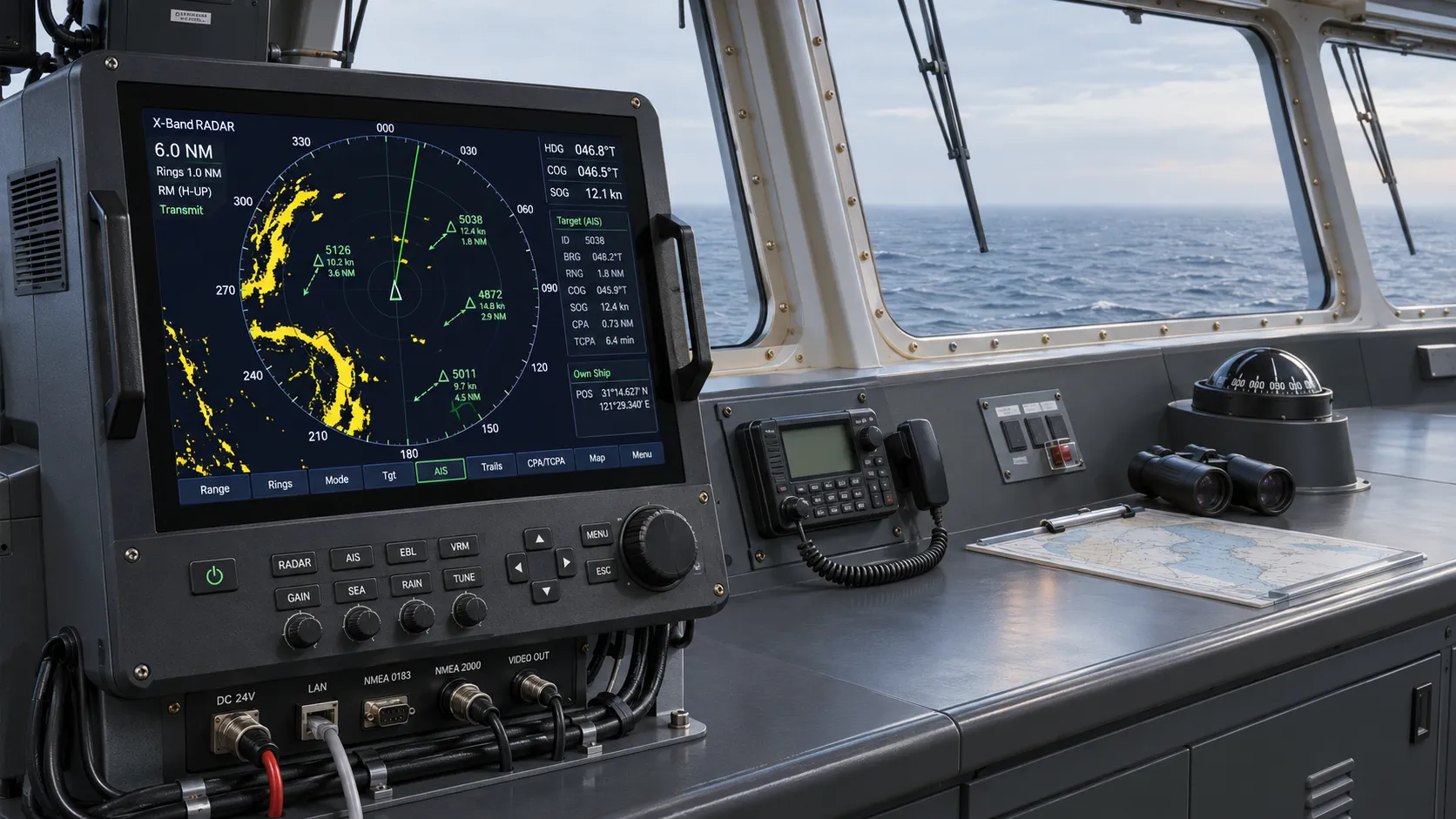
Choosing a Marine Radar Systems Supplier: What to Check Before Buying
Choosing a marine radar systems supplier? Compare installed costs, bridge compatibility, compliance evidence, and service support before you buy.
Related News
- 00
0000-00
How to Evaluate Supplier Solution References Before Signing a Contract - 00
0000-00
Industrial Product References: How to Verify Specs Before Ordering - 00
0000-00
Choosing a Private Label Partner in Europe: Key Supplier Criteria - 00
0000-00
Automotive Ergonomics Pricing: What Drives Seat System Costs? - 00
0000-00
Evaluating Supplier Solutions: How to Verify References and Standards
0000-00
Weekly Insights
Stay ahead with our curated technology reports delivered every Monday.